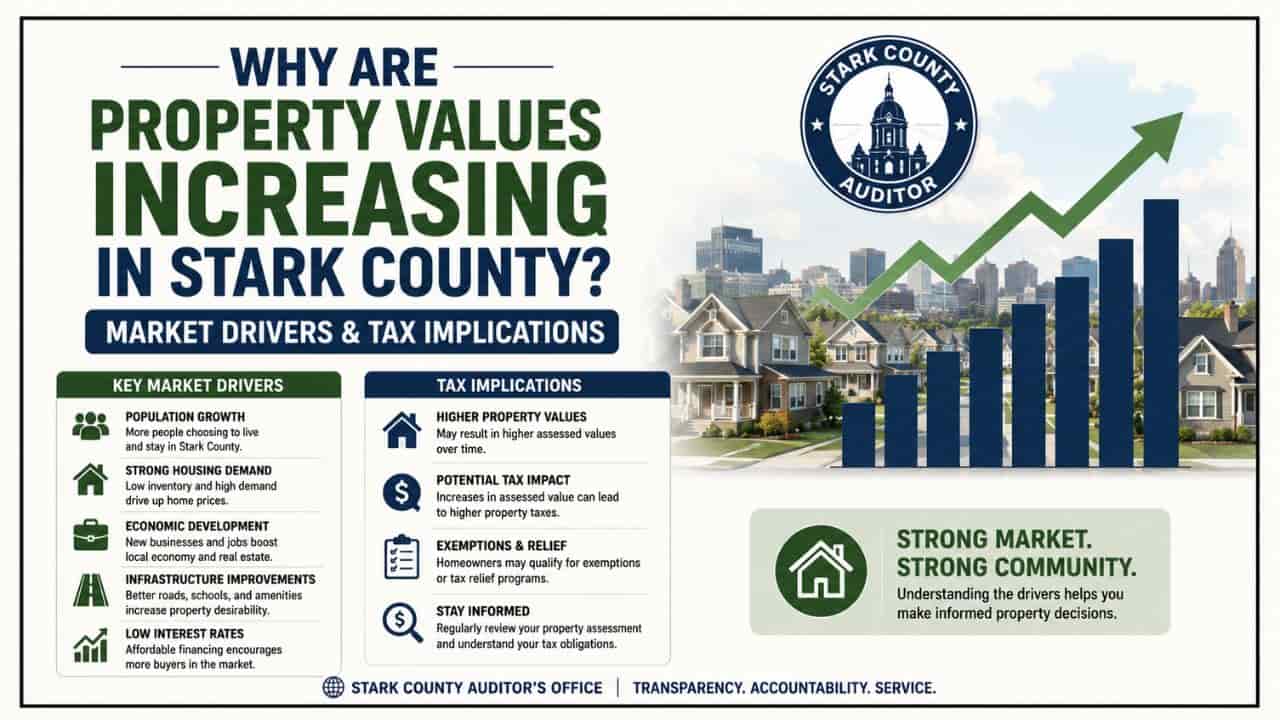
Conducting deep-dive land research in Alliance, Ohio, serves as a foundational element of sound real estate due diligence. Located in northeastern Stark County, tracking Alliance’s unique residential zones, commercial grids near Mount Union, and historical boundaries requires a clear understanding of official public data networks. The definitive repository for cataloging these spatial parameters is the Stark County Auditor’s Office portal. This comprehensive guide details how to navigate textual search indices, interpret interactive GIS geographic mapping layers, and extract accurate public valuation records across the Carnation City.

The Administrative Role of the Stark County Auditor in Alliance
While a home or commercial building may sit physically within the municipal limits of Alliance, its legal evaluation, tax mapping, and fiscal accounting parameters fall under county-level administration. In the State of Ohio, the County Auditor operates as the chief fiscal officer and property assessor for all townships and municipalities within the county line.
The Auditor does not set local tax rates or unilaterally enact new levies. Instead, their primary responsibility centers on establishing uniform, equitable property valuations that serve as the baseline of localized public finance distributions.
[Stark County Mass Appraisal & Land Registry Pipeline]
├── Sexennial Reappraisal (Full physical property valuation every 6 years)
├── Triennial Update (Statistical local market updates at the 3-year mark)
└── GIS Cartography Ledger (Live mapping of parcel splits, layouts, & bounds)
To maintain an accurate database for Alliance, the Auditor administers several vital operations:
- The Valuation Schedule: Mandated by state tax codes, the Auditor manages a comprehensive Sexennial Reappraisal every six years, alongside a statistical Triennial Update at the three-year midpoint, keeping property data closely aligned with open real estate market movements.
- The Land Records Management: The Auditor’s map and GIS departments continuously update the municipal ledger, processing parcel splits, tracking property transfers, and maintaining up-to-date layout boundaries.
- The Tax Duplicate Preparation: The Auditor multiplies a parcel’s taxable value against local, voter-approved millage levies including the Alliance City School District or Marlington Local School District levies to determine annual real estate tax obligations.
Technical Mapping and Tax Indices to Know
Before parsing through official databases or interacting with the Stark County property search interface, you must recognize standard real estate indices used by state clerks. Understanding these parameters will help you analyze a property card like a professional title coordinator.
| Search Index Term | Local Legal Definition | Practical Application for System Queries |
| Parcel ID / Number | A unique, multi-digit identification string representing a specific tract of land. | Bypasses general spelling variances to instantly load one definitive real estate record. |
| Millage Rate (Mills) | The local tax metric used in Ohio, where one mill equals one-thousandth of a dollar ($0.001). | Outlines the localized taxing burdens approved by local voters for schools, municipal infrastructure, and emergency systems. |
| Assessed Value | The statutory taxable portion of a piece of real estate, set at exactly 35% of its appraised market value in Ohio. | The final mathematical baseline multiplied against localized millage rates to determine seasonal tax values. |
Step by Step Instructions: Running an Alliance Property Search
The official Stark County Real Estate Search system is a web-enabled database structured for public utility. Follow this detailed operational roadmap to isolate any land profile in Alliance.
Step 1: Accessing the Certified Interface
To ensure data security and maintain complete accuracy, bypass third-party informational data scrapers. Open your browser and navigate directly to the official Stark County Real Estate Search portal managed by the County Auditor’s division.
Step 2: Selecting and Formatting Your Search Variables
The online platform lets you execute database searches through several distinct entry options.
[Stark County Auditor Search Interface Menu]
├── Query via Site Address ──► (Best for single homes; omit periods after suffixes)
├── Query via Owner Name ──► (Format strictly as: Last Name First Name)
└── Query via Parcel ID ──► (Instantly pulls up exact real estate footprint)
1. By Property Address: Type in the house number and street name. To remain synchronized with Ohio database indexing protocols, leave out punctuation marks. For example, write State St E or Union Ave instead of using structural periods (State St. E.).
2. By Owner Name: Input the current legal owner’s details using the Last Name First Name structure (e.g., Miller John). For corporate real estate holdings near the university or commercial developments along West State Street, use the exact corporate name filed on state business registries.
3. By Precise Parcel ID: Enter the numerical parcel identifier directly into the search console. This represents the most efficient way to access real estate records, as it bypasses formatting conflicts or common spelling variances.
Step-by-Step Instructions: Navigating the Stark County GIS Map
To visualize property lines, locate neighborhood benchmarks, and view physical topography layouts, utilize the spatial database.
Step 1: Launching the Interactive Viewer
From the textual property summary page on the Auditor’s site, click the “Parcel Viewer” link or access the Stark County GIS Mapping portal directly. This launches an ArcGIS web application containing live geospatial vector data layers.
Step 2: Layer Customization and Overlay Analysis
By default, the platform displays a standard administrative street map. To extract advanced property insights, open the Layer List panel and toggle these vital elements on or off:
- Aerial Orthophotography: Switch on high-resolution satellite imagery to view physical building layouts, driveways, structures, and tree lines directly in relation to legal boundary markers.
- FEMA Flood Hazard Overlays: Essential for real estate due diligence near the Mahoning River basin in Alliance, this layer highlights areas prone to flooding where mandatory lender flood insurance applies.
- Dimensions and Acreage Annotation: Displays the exact legal street frontage dimensions and total structural acreage calculations across individual parcel footprints.
Deconstructing the Alliance Public Property Profile
Once your query matches an Alliance record in the database, analyzing the multi-tabbed master profile allows you to evaluate its financial parameters.
1. The Financial Valuation Tab
This section breaks down the Appraised Market Value (the 100% fair market worth estimated by the county) and separates it into individual allocations for land value and structural improvement value. Below that, you will find the Assessed Taxable Value.
Appraised Market Value x 0.35 = Assessed Taxable Value
For example, if an investor evaluates an Alliance property with a total market valuation of $120,000, the structural calculation is.
$120,000 x 0.35 = $42,000
The property taxes will be computed using the $42,000 taxable baseline, multiplied by local tax rates.
2. The Annual Tax Ledger Profile
This card displays your exact tax summary details. It outlines the gross annual liability, non-business tax credits, and special local municipal assessments (such as district infrastructure upkeep, city sanitation programs, or neighborhood lighting projects). It also notes if current tax balances are fully paid or if there are outstanding, delinquent balances that could lead to tax foreclosure actions.
Troubleshooting Common Alliance Property Search Problems
If an address lookup for an Alliance home or commercial property yields zero results, do not worry. Formatting variations or processing windows can occasionally cause tracking issues.
- Broaden the Search: Try searching using only the street name or parcel ID to bypass suffix formatting issues.
- Post-Closing Delays: If a property recently closed escrow at a local title agency, the digital database can take 5 to 10 business days to display the new owner’s details. This delay happens because physical deeds must go through validation checks at the Canton courthouse before the public server refreshes.
Local Administrative Office Locations
For real estate research that requires certified property abstracts, physical document submissions, or help with valuation appeals, visit the county offices directly at the civic center downtown:
- Stark County Auditor’s Office: 110 Central Plaza South, Suite 220, Canton, OH 44702
- Stark County Recorder’s Office: 110 Central Plaza South, Suite 200, Canton, OH 44702
By leveraging these official web tools and county databases, you can find accurate information, protect your investments, and navigate the Alliance real estate market with professional ease.
Conclusion
Navigating the Alliance OH property search framework is a vital process for verifying legal ownership, mapping parcel boundaries, and analyzing local tax assessments. By utilizing the official Stark County Auditor’s Office digital platforms, users can easily transition between textual property records and interactive GIS maps. This centralized network ensures absolute financial transparency, protects your real estate investments, and helps you evaluate land metrics across Western Stark County with ease.
FAQs
How do I run a free property search for an address in Alliance, Ohio?
Access the official Stark County property search portal and look up records by typing in the specific site address, legal owner name, or structural parcel number.
Where can I find official tax and boundary maps for Alliance properties?
Open the interactive Stark County GIS mapping tool (Parcel Viewer) directly from the Auditor’s property summary card to see boundary perimeters superimposed over aerial photography.
Which school district levies affect property tax calculations in Alliance, OH?
Depending on the exact geographical location of the parcel, properties are subject to either the Alliance City School District or Marlington Local School District millage rates.
Why does my Alliance property valuation profile show a $0 sale price history?
A $0 value indicates a non-market Stark County property transfer. This is common during title adjustments, such as moving an asset into a family trust or handling inheritance deeds.
Who do I contact to dispute an unfair real estate valuation in Alliance?
Valuation complaints must be submitted to the Board of Revision through the Stark County Auditor’s Office located at 110 Central Plaza South in downtown Canton.