
Tracking a parcel’s historical ownership trajectory is an absolute necessity when clearing a real estate title or analyzing local market trends. In Stark County, Ohio, this data management is split between the Auditor’s property search database and the Recorder’s official deed repository. Users must understand how to navigate both administrative tracks to trace an unbroken chain of title accurately. This comprehensive guide details how to track Stark County property transfer histories, retrieve legal deeds, and utilize official county portals to uncover deep transactional records step by step.
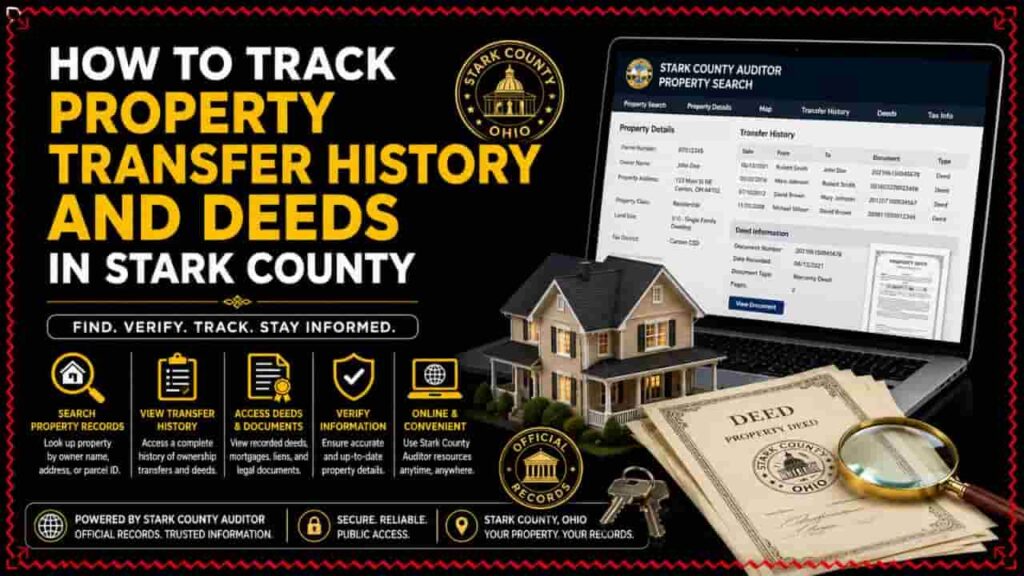
The Administrative Breakdown: Auditor vs. Recorder
A common mistake made during a real estate search is assuming all property data sits in a single public registry. In Ohio’s local government structure, tracking a transaction requires coordinates from two distinct administrative offices located at the county seat in Canton.
The Role of the Stark County Auditor
The Stark County Auditor acts as the chief fiscal officer and property assessor for all municipal divisions, including Canton, Massillon, and Alliance. The Auditor maintains real estate transfer logs primarily for taxation and appraisal optimization using a backend Computer-Assisted Mass Appraisal (CAMA) database.
Every time real estate changes hands, the paperwork must pass through the Auditor’s map department to collect statutory conveyance fees, log the contract sale price, and update the master tax duplicate files.
The Role of the Stark County Recorder
The Stark County Recorder is the official custodian of legal property documents. While the Auditor logs the numbers and transactional statistics, the Recorder registers and preserves the actual legal documents.
The Recorder’s Office archives individual signed deeds, active mortgage liens, land easements, and official subdivision plat maps. To find the formal legal text of a deed transfer rather than a basic sales timeline, you must utilize the Recorder’s indexing system.
Fundamental Real Estate Tracking Terminology
Before executing a historical title search, you must familiarize yourself with standard legal indicators used by state clerks. Understanding these indices allows you to analyze public documents with absolute professional precision.
| Document Index Term | Local Legal Definition | Practical Application for Historical Queries |
| Grantor | The individual, business entity, or trust selling or transferring a real estate asset. | Used to search backwards through historical indexes to see who relinquished the title. |
| Grantee | The buyer, recipient, or corporate entity acquiring a real estate asset. | Used to track the chain of title forward to confirm the current legal owner of record. |
| Instrument Number | A unique, structured filing identification number assigned to a specific document by county clerks. | Bypasses general spelling variances to instantly retrieve a scanned image of a legal deed. |
Step-by-Step: Tracking Sales and Transfer History via the Auditor
To establish a clear chronological outline of when a property was sold, your search should always begin on the Auditor’s real estate tracking platform.
[Stark County Auditor Portal Gateway]
├── Step 1: Input Site Address, Owner, or Parcel ID Number
├── Step 2: Open the Specific Digital Property Card
└── Step 3: Access the “Sales History” Matrix Module
Step 1: Query the Target Parcel
Go to the official Stark County Real Estate Search tool. Locate your target property using the site address, owner name, or unique parcel ID number. For the most accurate search results, omit punctuation marks when typing street names (e.g., input Tuscarawas St W instead of Tuscarawas St. W.).
Step 2: Access the Transactional History Module
Once you select the matching property from the search results, the portal loads the primary administrative summary page. Look at the sub-navigation menu and click the tab labeled “Sales” or “Transfer History.”
Step 3: Analyze the Sales Data Grid
The platform will generate a chronological ledger containing every property transfer processed by the county over several decades. Review the data table rows to extract three critical metrics:
- Transfer Date: The official date the county processed the conveyance paperwork, which may lag slightly behind the private bank escrow closing date.
- Sale Price: The total contract consideration paid for the property. If the row lists a $0 value, it indicates a non-market transfer, such as a deed change into a family trust, a quitclaim action between spouses, or an inheritance split.
- Filing Identification: Note the listed Deed Book and Page number or the unique Instrument ID. You will need this specific sequence to retrieve the actual deed imagery.
Step by Step: Retrieving Official Deeds via the County Recorder
Once you have secured the transfer dates and instrument numbers from the Auditor’s platform, you can pull up the legal deed text through the Recorder’s office.
Step 1: Open the Official Recorder Search Portal
Go to the official Stark County Recorder Online Services portal. Avoid using third-party private data aggregator sites that charge excessive access fees for public documents.
Step 2: Select Your Search Vector
The Recorder’s interface allows you to run queries using two primary tracking routes.
[Stark County Recorder Entry Options]
├── Route A: Instrument / Doc Number Search ──► (Fastest; uses reference data from Auditor card)
└── Route B: Grantor / Grantee Name Search ──► (Best for tracking complete owner portfolios)
By Instrument Number: If you copied the document number from the Auditor’s page, enter it into the document ID search bar. This directly pulls up the targeted deed record, bypassing index pages.
By Grantor/Grantee Name: If you do not have the instrument number, input the seller’s or buyer’s name into the name index fields using the Last Name First Name structure. You can filter the results by selecting “Deed” under the document type drop-down menu to clear away unrelated mortgage or tax lien filings.
Step 3: View and Verify the Document Imagery
Click on the verified index entry to open the document viewer. Carefully read the text of the deed to verify key legal protections:
- Legal Land Description: Confirm the listed lot numbers, metes, and bounds match the physical dimensions displayed on the county tax maps.
- Deed Classification: Verify if the property was transferred via a General Warranty Deed (providing maximum buyer protection), a Fiduciary Deed (common in estate settlements), or a Quit Claim Deed.
Troubleshooting Property Transfer Anomalies
- Recent Sales Missing from the Interface: If a property transaction recently closed at a local title agency but does not yet show up on the Auditor’s website, a standard administrative processing lag is likely the cause. It typically takes 5 to 10 business days for physical courthouse clerks to validate a deed change, collect fees, and update online data streams.
- Bulk Bundle Single-Price Anomalies: When checking commercial properties or multi-lot parcels, you might find a massive sales price logged against a tiny piece of land. Always check the “Number of Parcels” indicator column in the Auditor’s sales ledger. If the count is higher than one, the listed price represents the total combined cost of the entire multi-parcel real estate package, not that individual lot.
Direct Administrative Resources
For historical research that predates digital archives, processing complex land splits, or requesting certified physical copies of deeds, visit the county departments directly in downtown Canton, Ohio:
- Stark County Auditor (Conveyance & Map Department): 110 Central Plaza South, Suite 220, Canton, OH 44702
- Stark County Recorder’s Office: 110 Central Plaza South, Suite 200, Canton, OH 44702
By utilizing these verified public channels and systematically linking data between the Auditor and Recorder platforms, you can track any local real estate transfer history with complete professional accuracy.
Conclusion
Tracking Stark County property transfer history is a vital process for verifying legal ownership and analyzing local market trends in Ohio. By combining the transaction timelines from the Stark County Auditor’s Office with the verified legal document registries at the County Recorder, users can easily map out a complete chain of title. Following this systematic methodology ensures absolute due diligence, confirms true sales consideration figures, and helps protect your real estate investments from hidden title discrepancies.
FAQs
How do I look up property transfer history in Stark County, Ohio?
Run a query on the official Stark County property search portal using the parcel ID or address, then click on the “Sales” tab to view the complete historical transaction ledger.
Where can I view the actual signed copy of a property deed in Stark County?
While the Auditor tracks financial values, the official digital images of legal deeds are kept online through the Stark County Recorder Online Services database.
What does a $0 transfer price mean in a Stark County sales record?
A $0 consideration value indicates a non-market Stark County property transfer, such as moving an asset into a personal trust, an inheritance shift, or a quitclaim title swap.
How long does it take for a new deed transfer to show up on the Auditor’s website?
It generally takes 5 to 10 business days for courthouse clerks to process the conveyance paperwork, collect transfer fees, and refresh the public real estate search network.
Can I track property lines visually while researching deed transfers?
Yes. You can open the interactive Stark County GIS mapping parcel viewer directly from the Auditor’s database page to see legal boundary configurations overlaid on high-resolution aerial photography.